 24h
24hNail artist Vivi runs her studio on her own. When a client books a time, it goes on her Calendar with a reminder so she can get ready early. Each client's favorite colors and how sensitive they are go in a private note. After each client, she logs the income, and at the end of the month she opens Yearly to see how much she made.
Beauty Professionals
Bookings, client preferences, and income, all on one phone
Features you'll use
Book clients with the Calendar
- 1
Tap + at the bottom center and choose "Event".

- 2
Enter the client's name and service (for example, "Ms. Wang gel manicure"), then pick a time.
Screenshot comingAdd Event page with client and service filled in - 3
Choose LINE or Instagram under "External Contacts" and enter the client's account (if they don't use 24h yet).
Screenshot comingExternal Contacts on the Add Event page - 4
Choose "Remind Me", then tap the check mark at the top right to save.
Screenshot comingClient event in the Calendar day view
If a client adds you as a friend on 24h, you can invite them directly. Once they accept, the event goes on both Calendars.
Private notes and preference tags
- 1
Tap the client's profile, then tap "Private Note".
Screenshot comingFriend profile, with "Private Note" highlighted - 2
Choose the friend category "Clients".
Screenshot comingCategories on the private note page - 3
Enter custom labels like "sensitive", "likes nude tones", or "thin nails".
Screenshot comingCustom labels on the private note page - 4
Enter a note and tap the check mark at the top right to save. Only you can see it.
Screenshot comingNote field on the private note page
Track income with Expenses
- 1
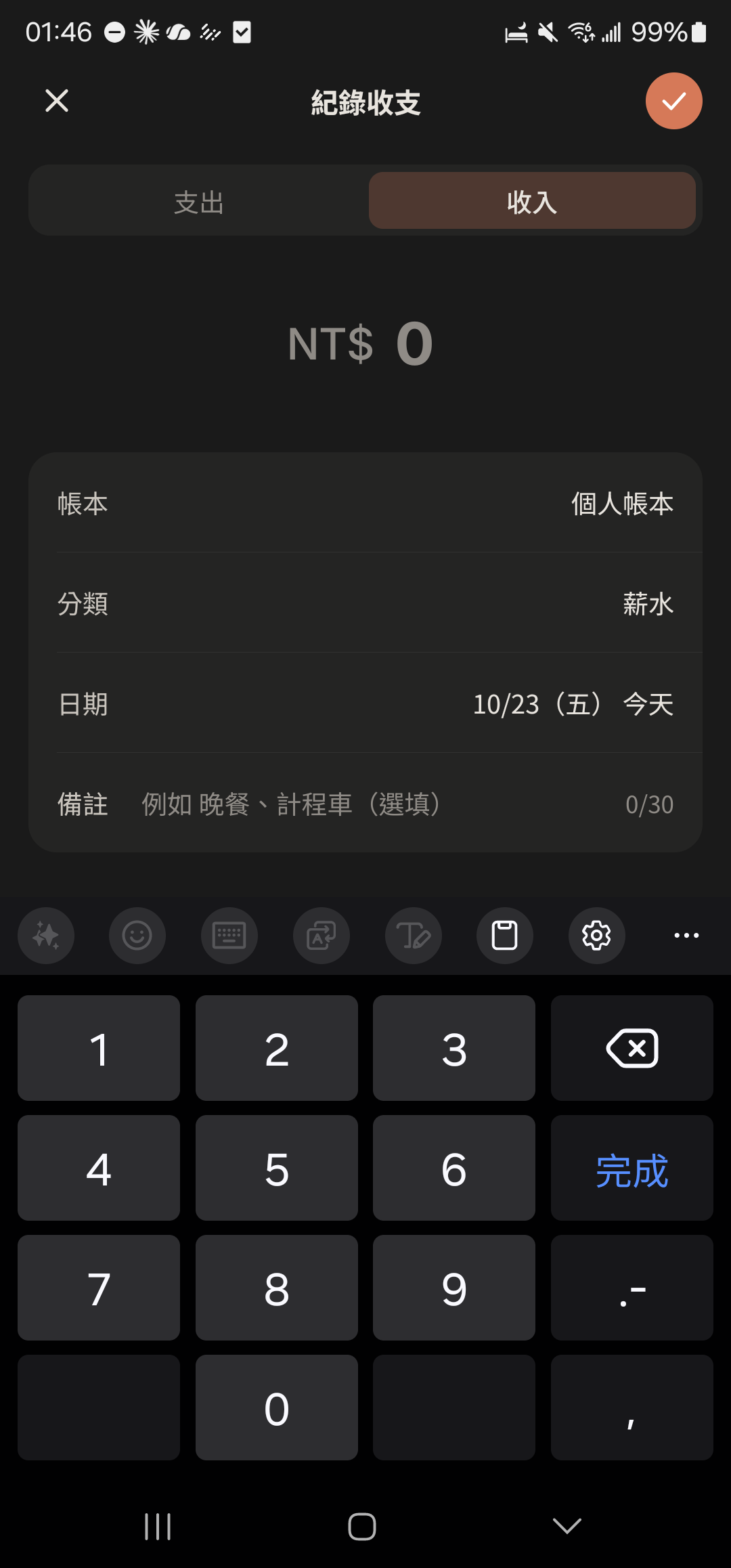
Tap + at the bottom center, choose "Expenses", then choose "Income".
- 2
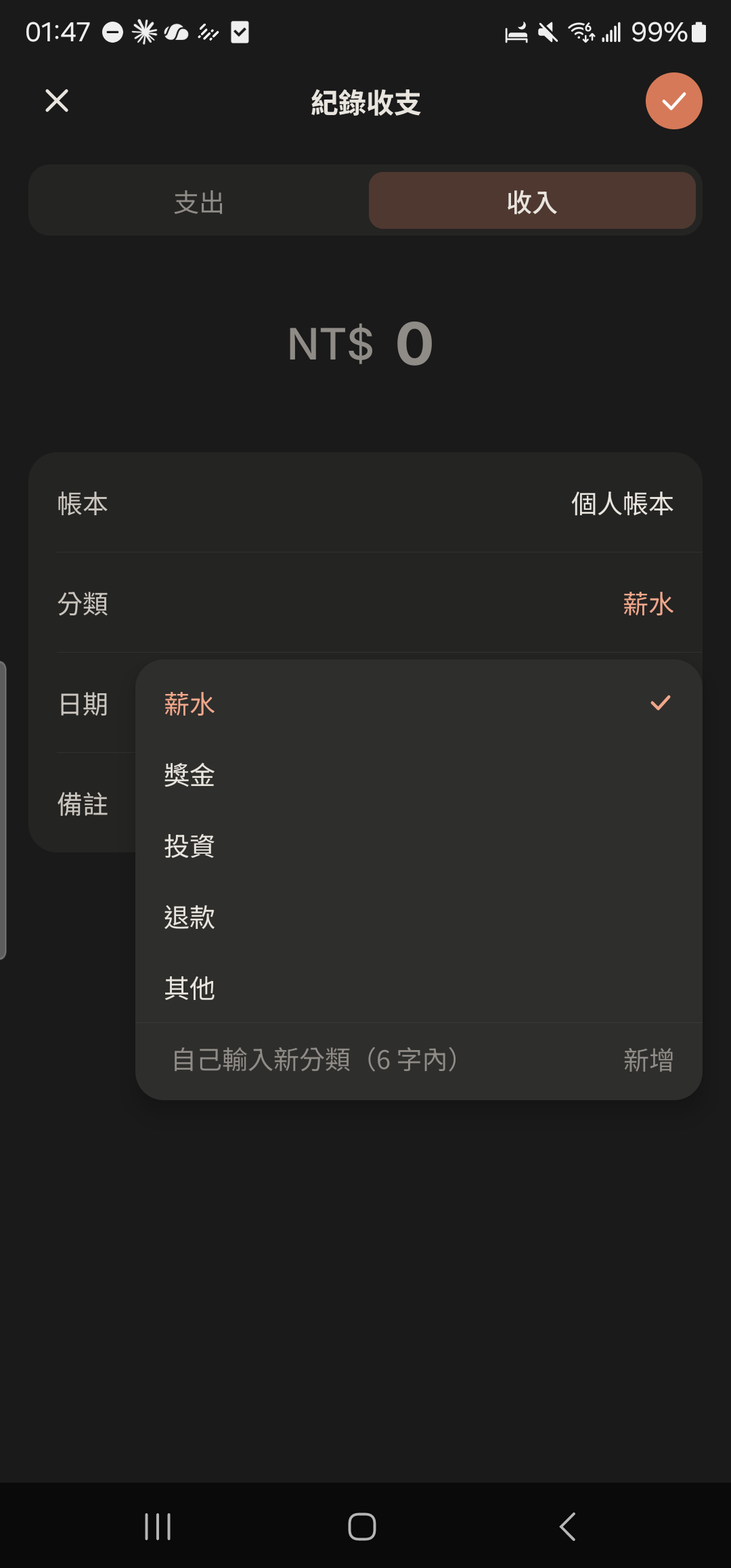
Enter the amount, and type a new category like "Nails" or "Lashes" right in the category field.
- 3
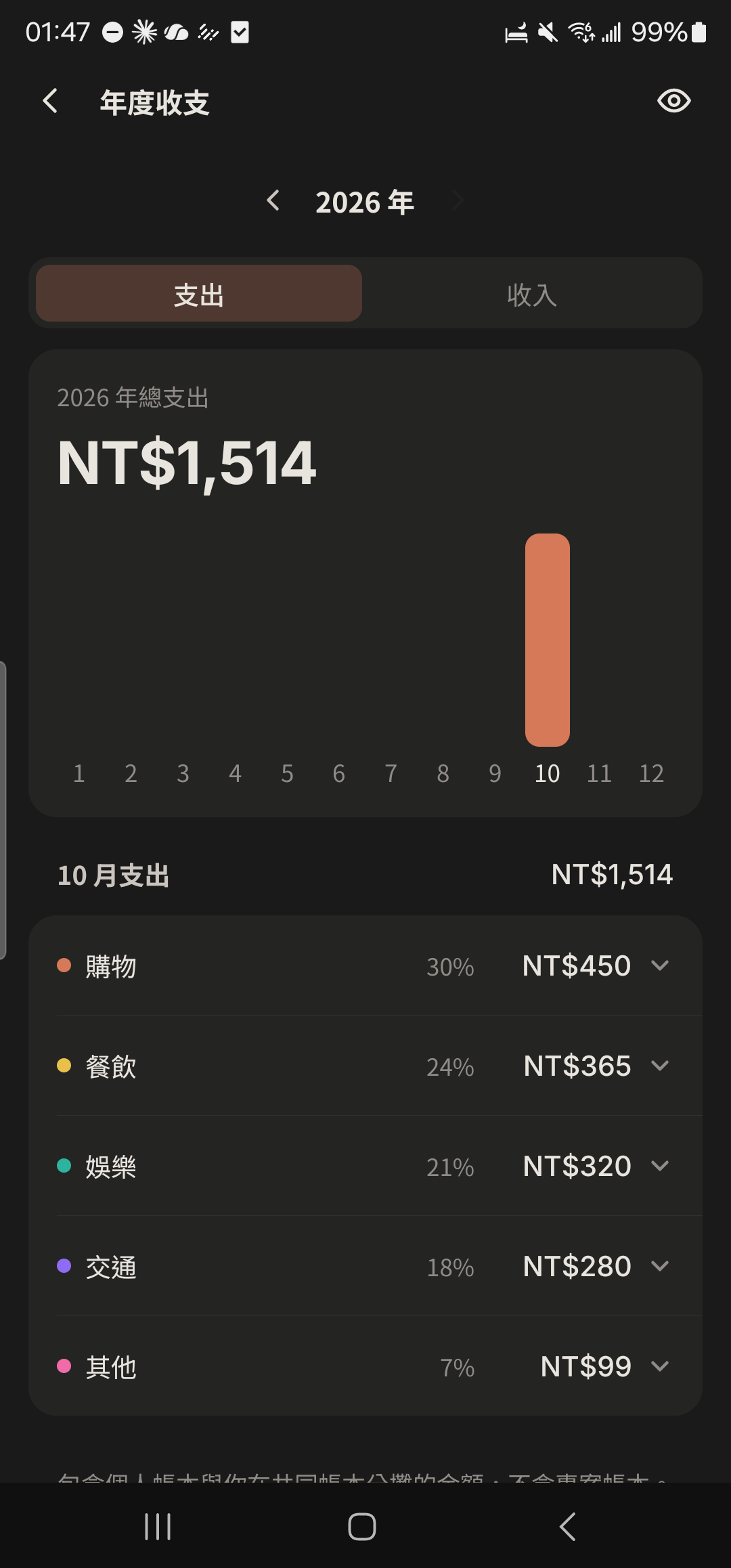
Tap "Expenses" in "Me", tap "Analysis" at the top right, and switch to the "Yearly" tab to see income for each month.
- 4
Tap a month to see that month's details by category.
Screenshot comingCategory details in Yearly
Other guides
Individuals
Life on your own is worth keeping track of, too
Couples
Keep your days together in one place
Family and Parents
A family group that's easy for parents to use
Theater and Production Crews
One show, one group, with every team in its own lane
Tennis and Badminton Buddies
Get a game together and split court fees without asking one by one
Event Organizers
Sign-ups, waitlists, check-ins, and payments, all in one go
Travelers
Trip costs, plans, and photos, all settled when you get home
Roommates
Rent, utilities, and chores, without the awkwardness
Student Clubs and Study Groups
Officer teams, event sign-ups, and a smooth end of semester
Wedding Planning
From countdown to reception, with clear roles, budget, and RSVPs
Pet Parents
Vaccines, meds, costs, and every day with your furry friend
Freelancers
Clients, schedules, and income: run your own business your way