24h
24hNot getting notifications?
Check the app's notification settings, chat mute settings, and phone permissions in that order.
- 1
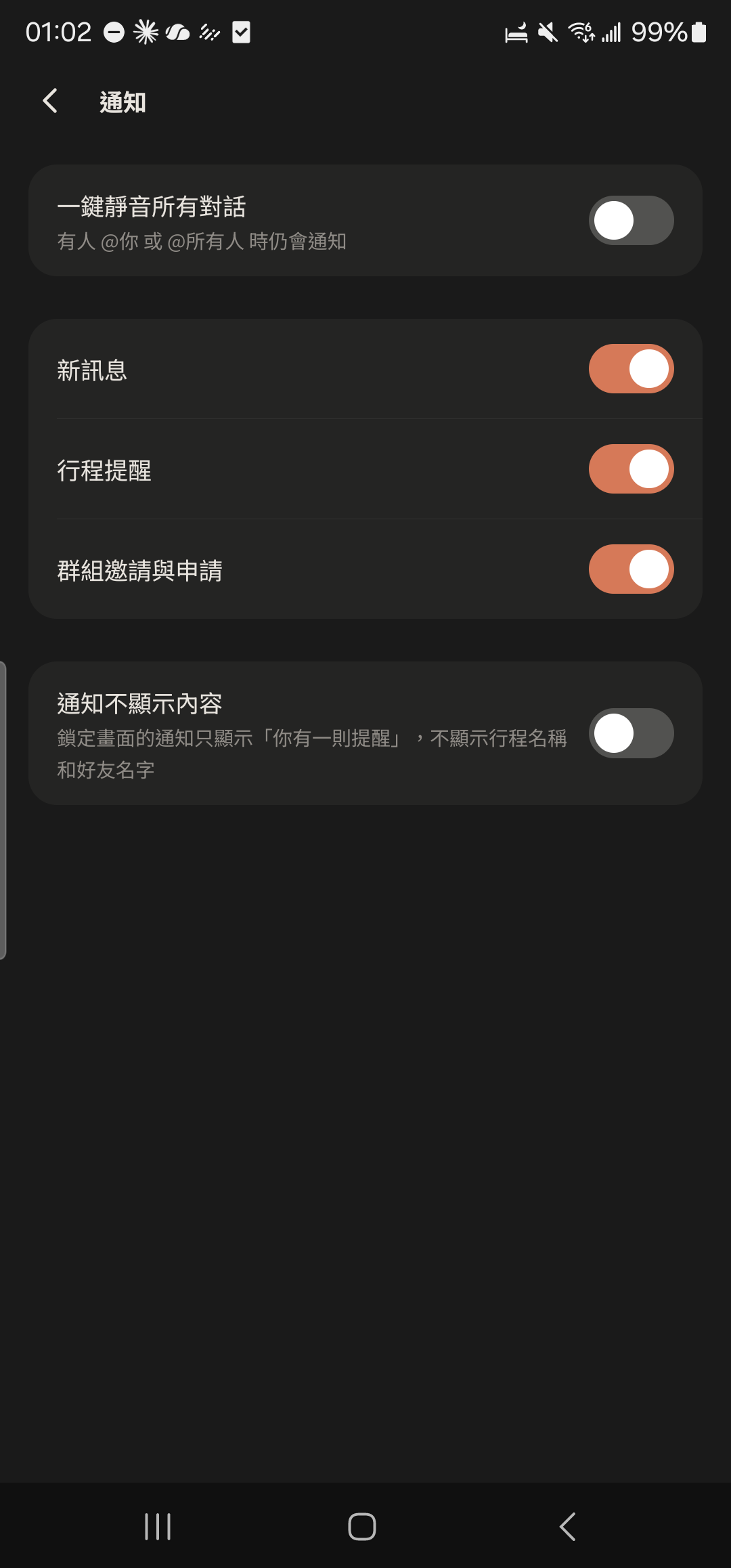
Tap "Notifications" in "Me" and make sure "Mute all chats in one tap" is off.
- 2
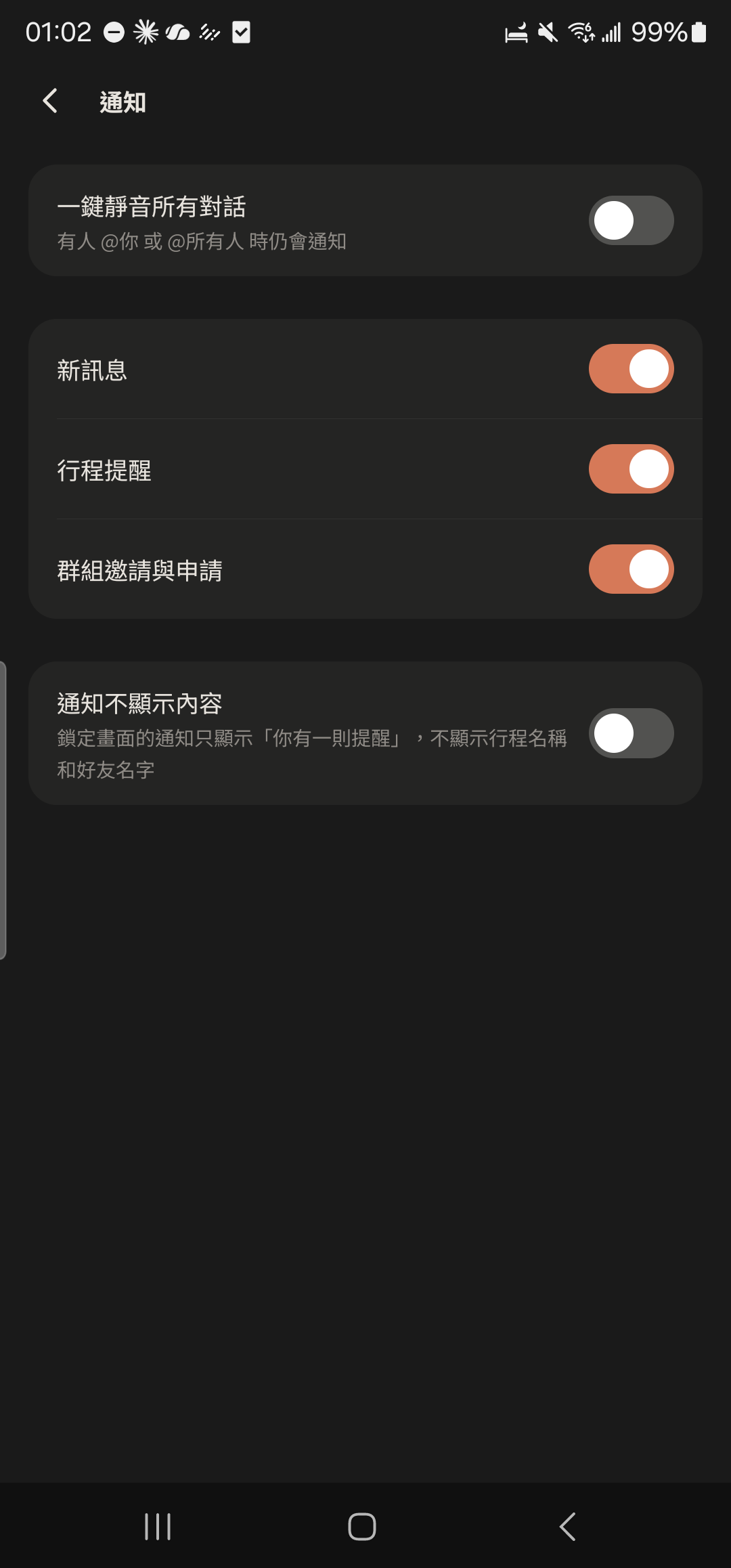
Check that the "New Messages", "Event Reminders", and "Group Invites & Requests" switches are all on.
- 3
Open the chat you're not getting notifications for and check whether it's set to "Mute" in the menu at the top right.
Screenshot comingMute notifications in the chat menu - 4
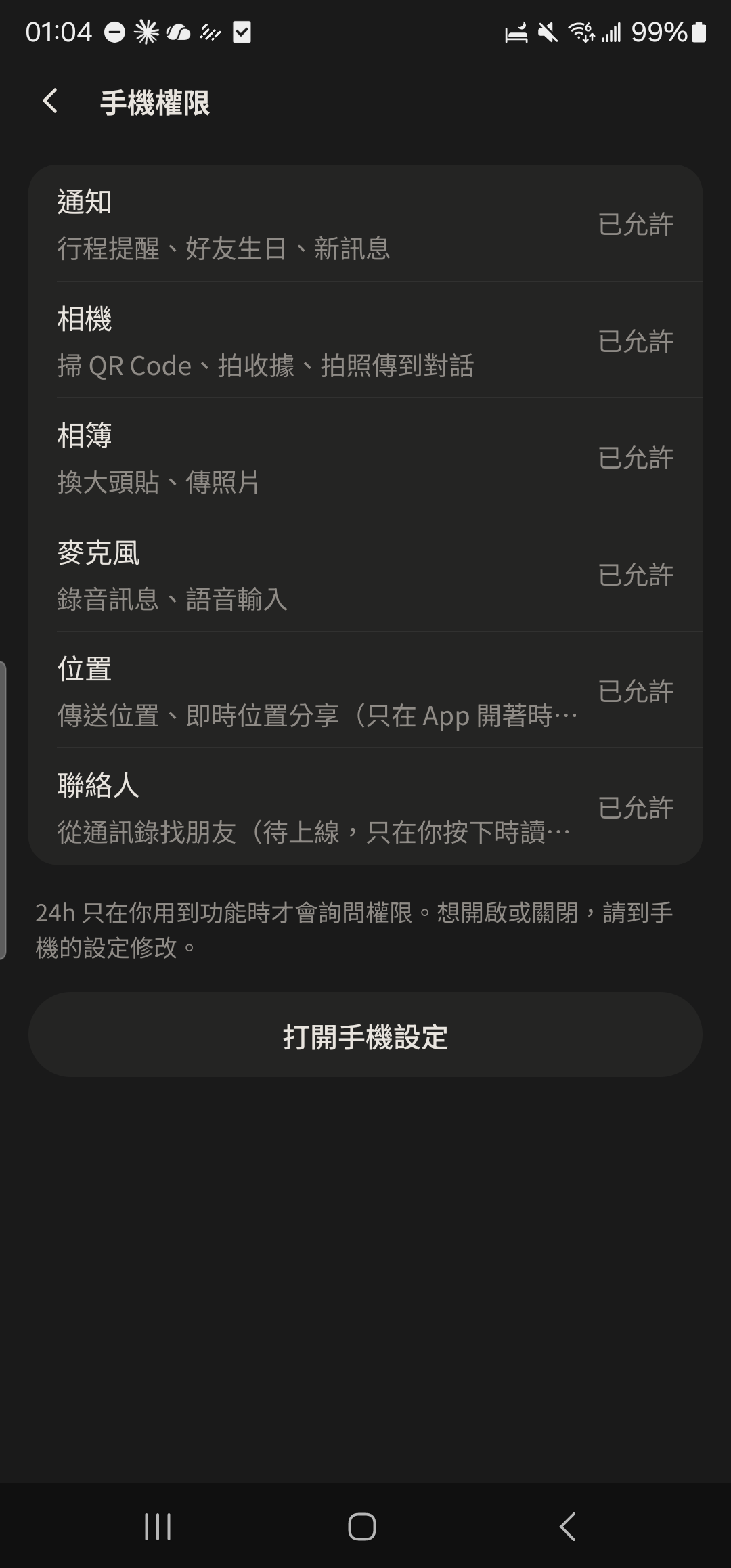
Tap "Privacy & Permissions" in "Me" and make sure "Notifications" is allowed. If not, tap it to open your phone settings.