 24h
24hReport a problem or send a suggestion
If the app crashes, something looks off, or you have a great idea, tell us right in the app.
- 1
Tap "Report a problem" at the top right of the Support screen, or in the Assistant, tap the ⊕ on the right of the input bar and choose "Report a problem" under "Help & Feedback".
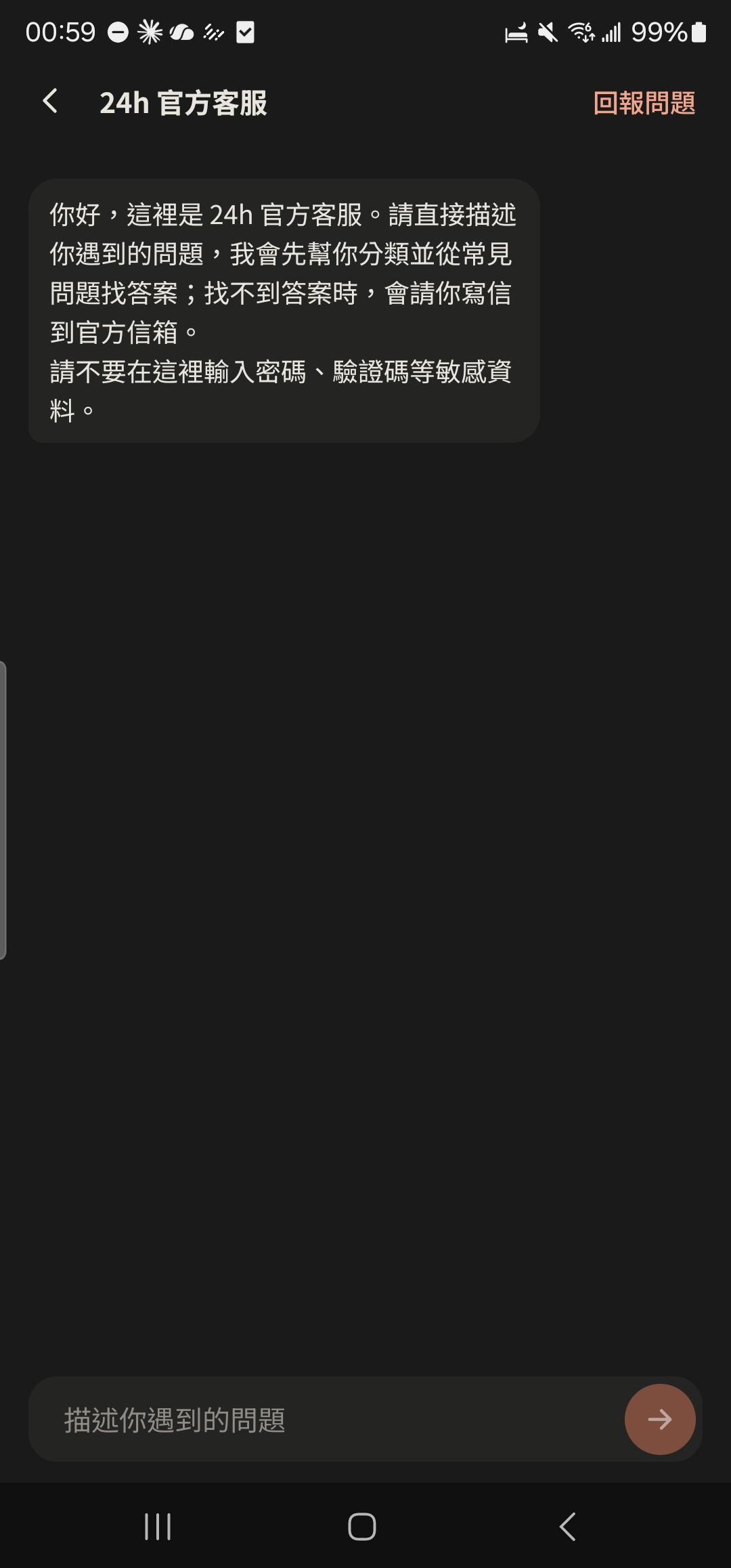
- 2
Choose a category: crash or force close, something looks off, a feature doesn't work, feature suggestion, or other.
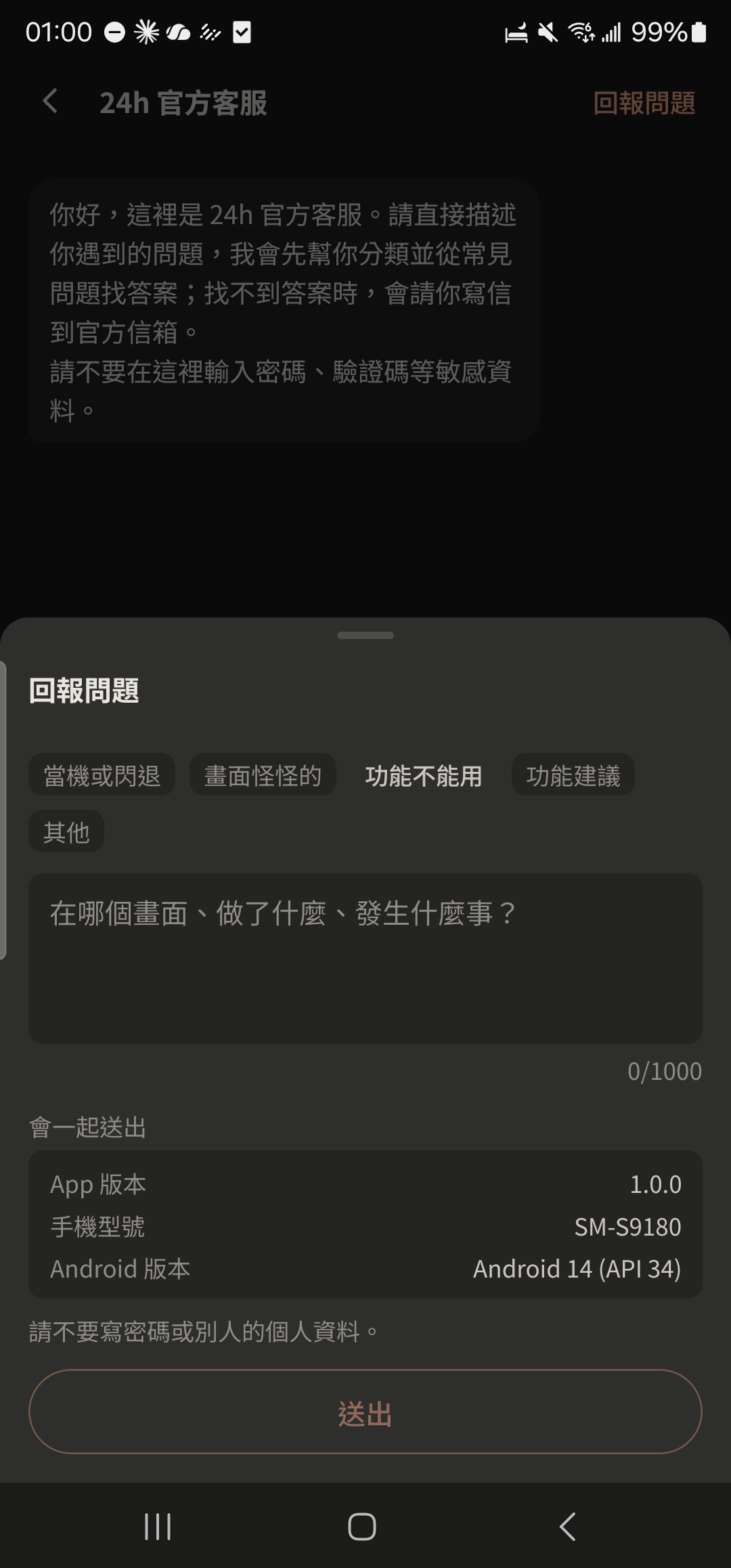
- 3
Describe what happened (up to 1,000 characters) and tap send.
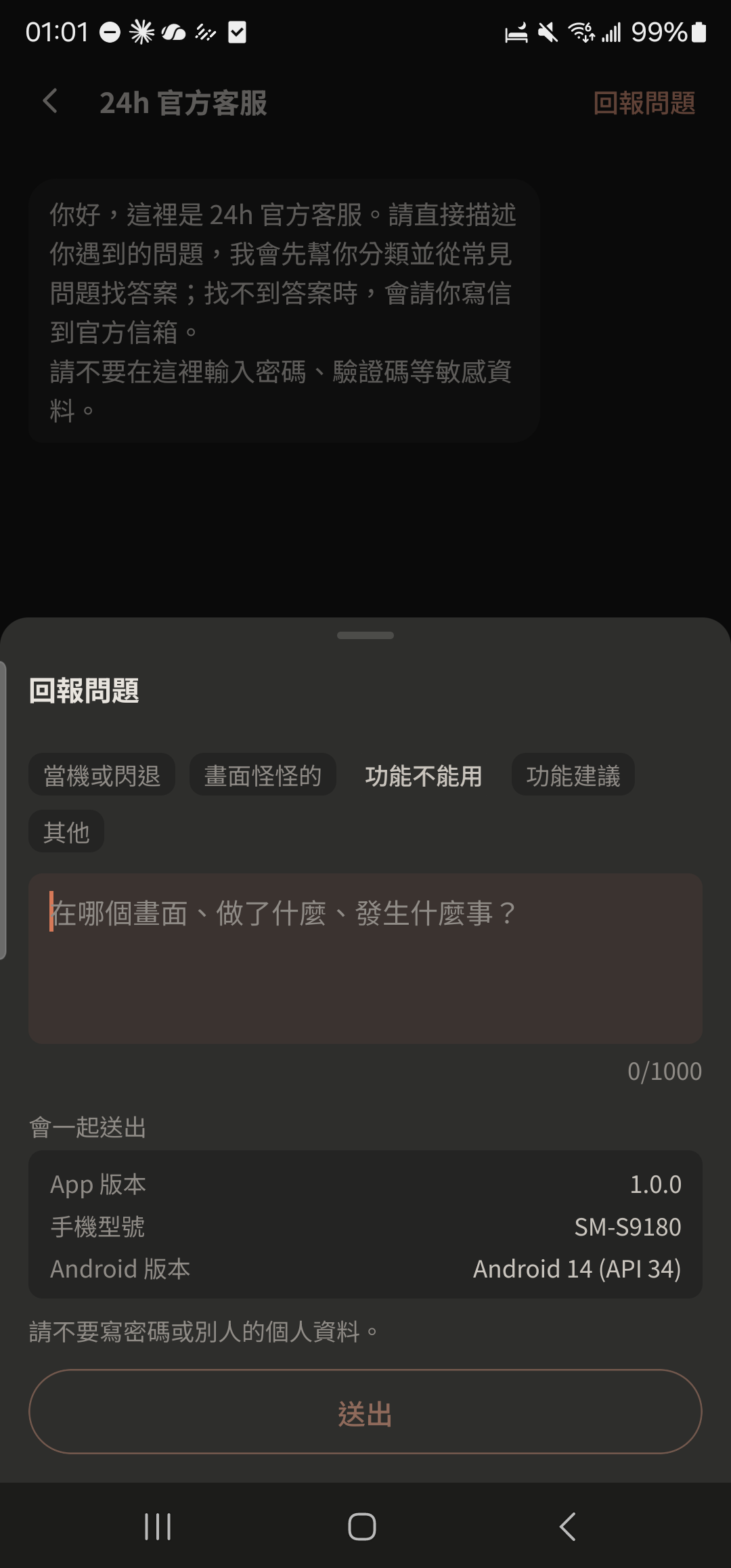
- Reports automatically include your app version and phone model to help us track down the problem.