 24h
24hDraw a Card, Today's little thing, and One question a day
Draw a card when you're tired, complete a little thing to collect stickers, or answer a question and add it to your Diary.
- 1
Tap "Draw a Card" above the input box (or tap the ⊕ on the right of the input bar and choose "Fortune" or "Life" under "Draw a Card"), choose a deck, and tap a card to flip it. To learn how to read the result, tap "How to read it?" at the top.
Screenshot comingFull-screen card flip, "How to read it?" highlighted - 2
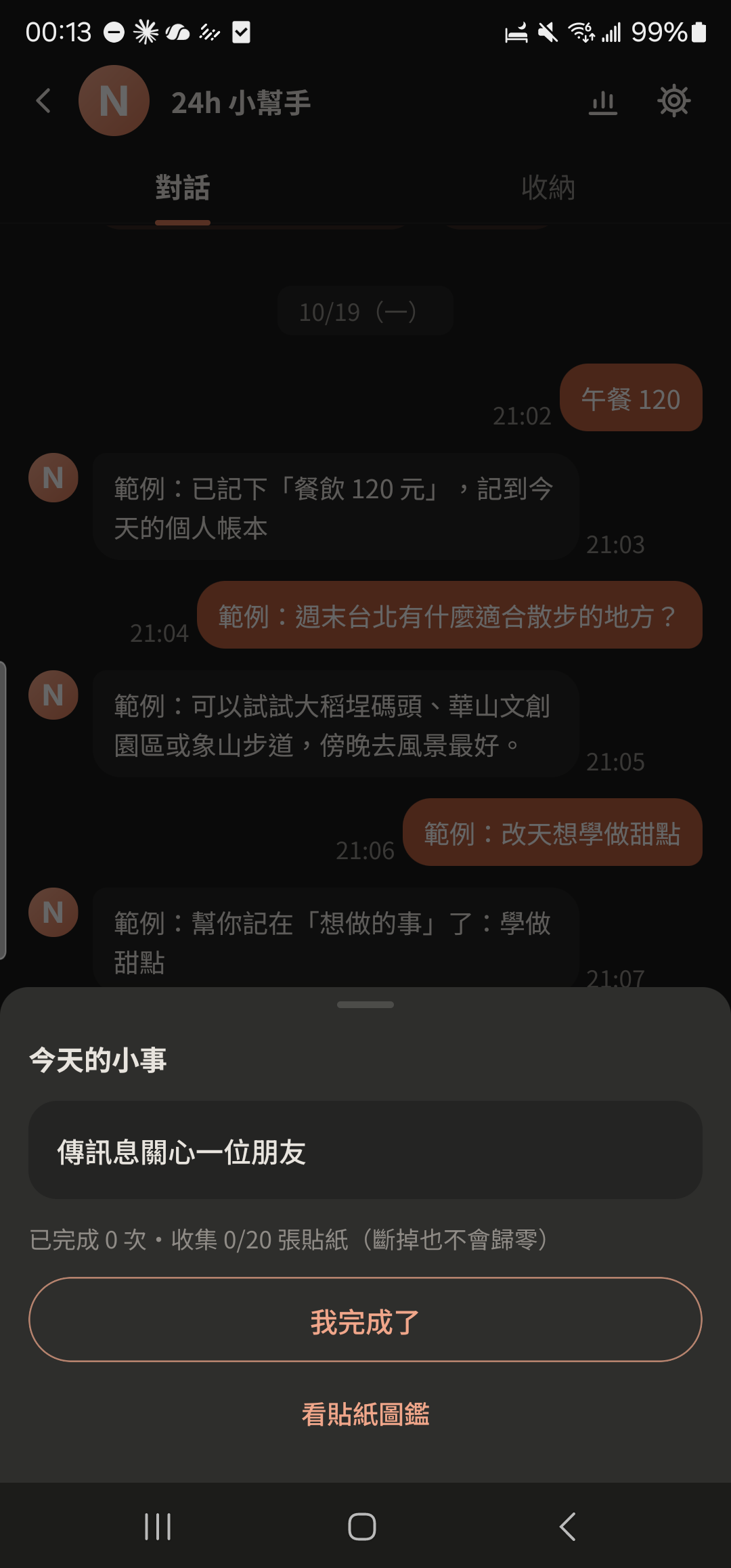
Tap the ⊕ on the right of the input bar and choose "Today's little thing" under "Daily". When you've done it, tap "I'm done" to collect a sticker.
- 3
Tap "View Sticker Collection" to see how many you've collected.
Screenshot comingSticker collection - 4
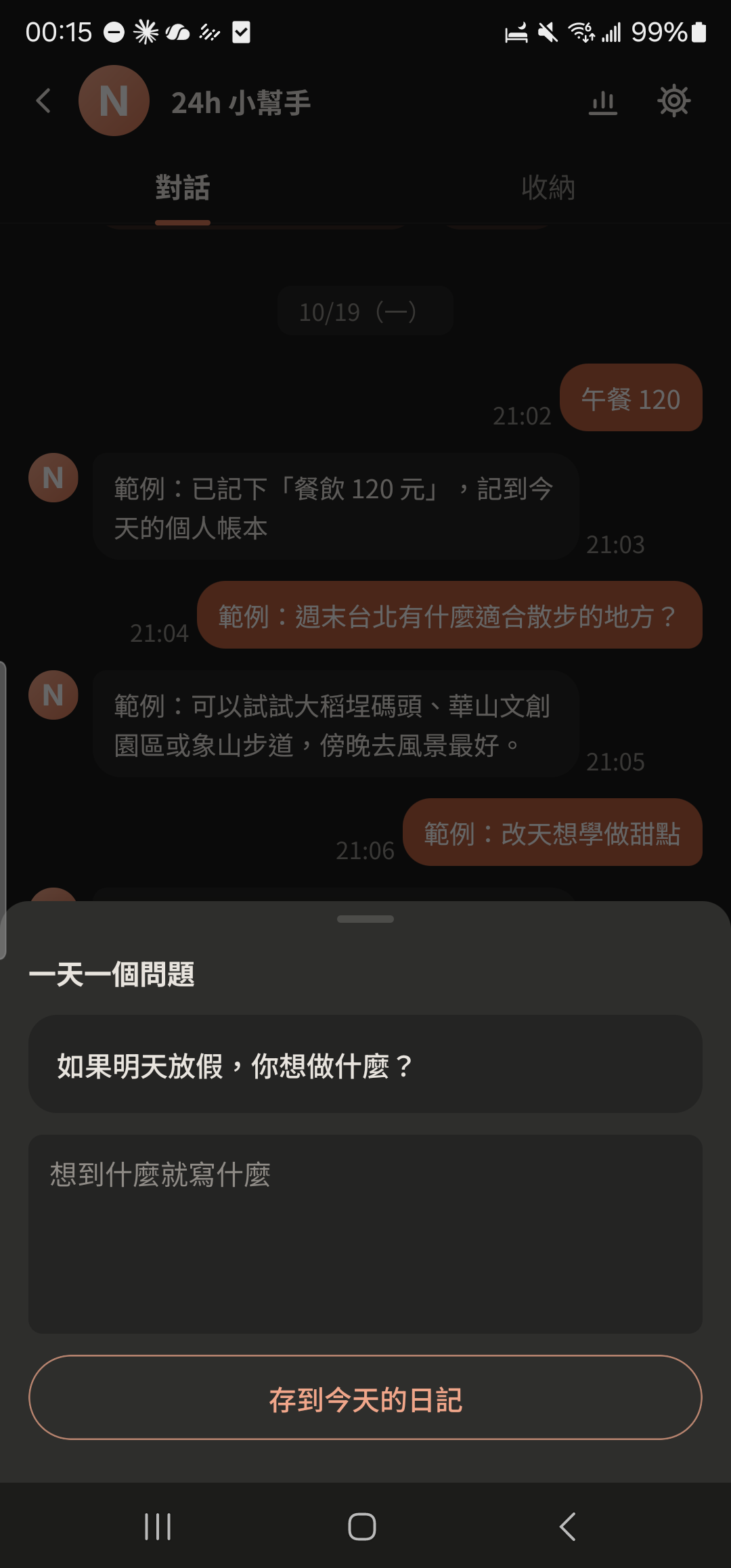
In the ⊕ feature panel, choose "One question a day" under "Daily", enter your answer, and tap "Save to today's Diary".
- "Fortune" includes tarot, fortune sticks, horoscopes, lucky colors, and more, just for fun. "Life" helps with small choices like what to have for lunch. Drawing cards doesn't use your AI chats.