 24h
24hChat with the Assistant AI
Ask questions or sort out your thoughts, and the Assistant answers with AI.
- 1
Type your question and tap send.
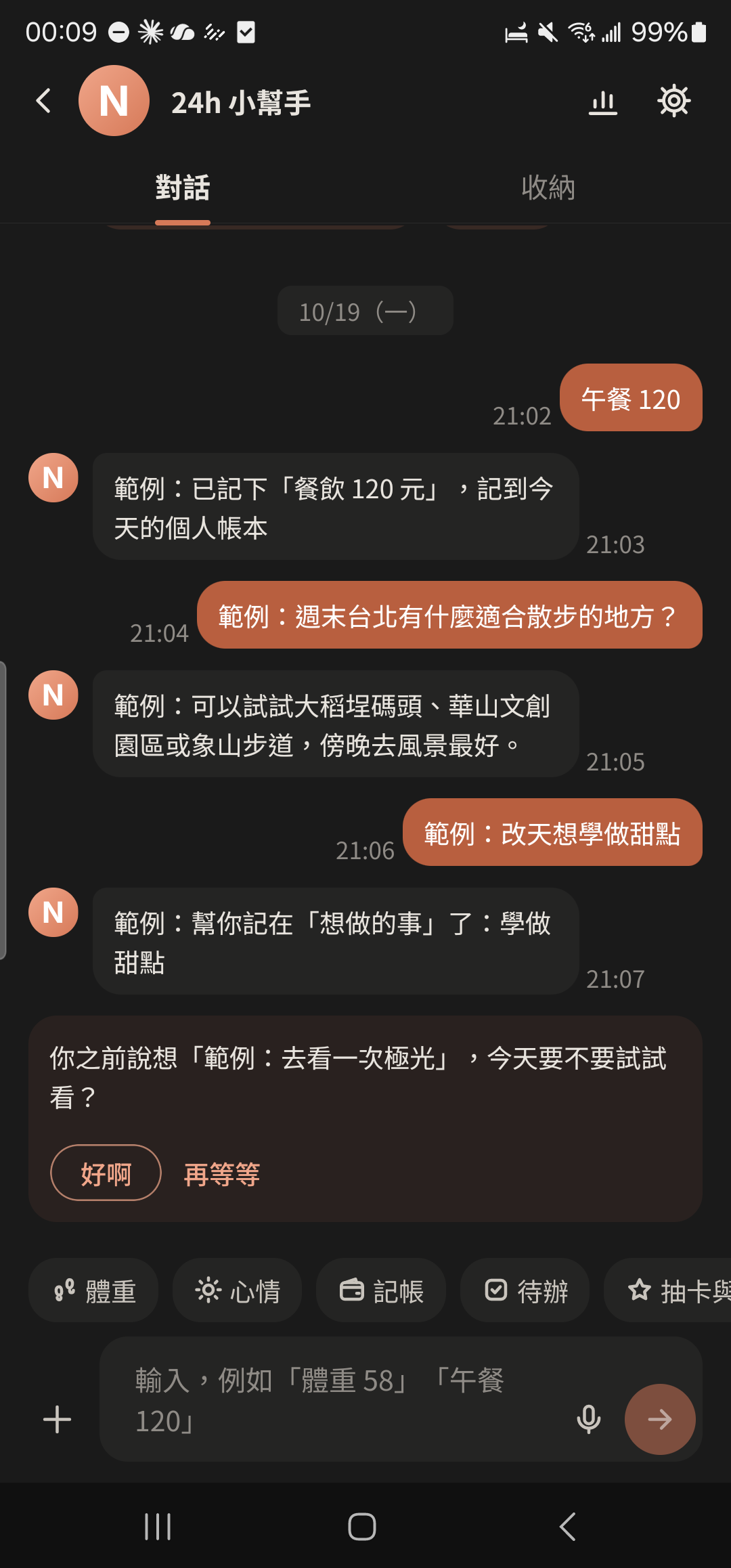
- 2
Tap "Agree & continue" (you'll see an explanation the first time).
Screenshot coming"Use Assistant AI Chat" explanation window - 3
Press and hold a reply to copy, forward, Pin, save to Stash, or rate it good or bad.
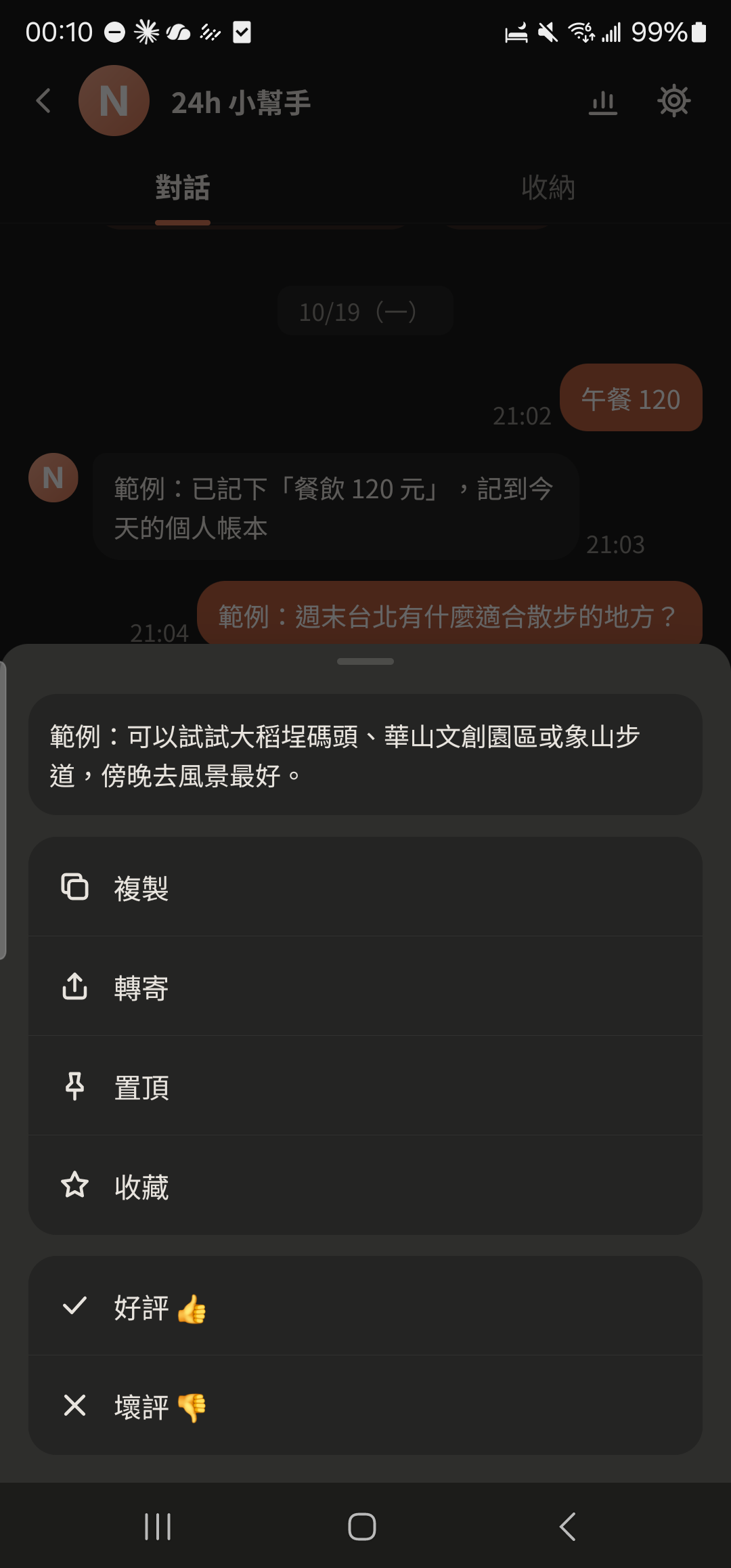
- 4
Tap the usage icon at the top right of the Assistant to see how many AI chats you have left this month.
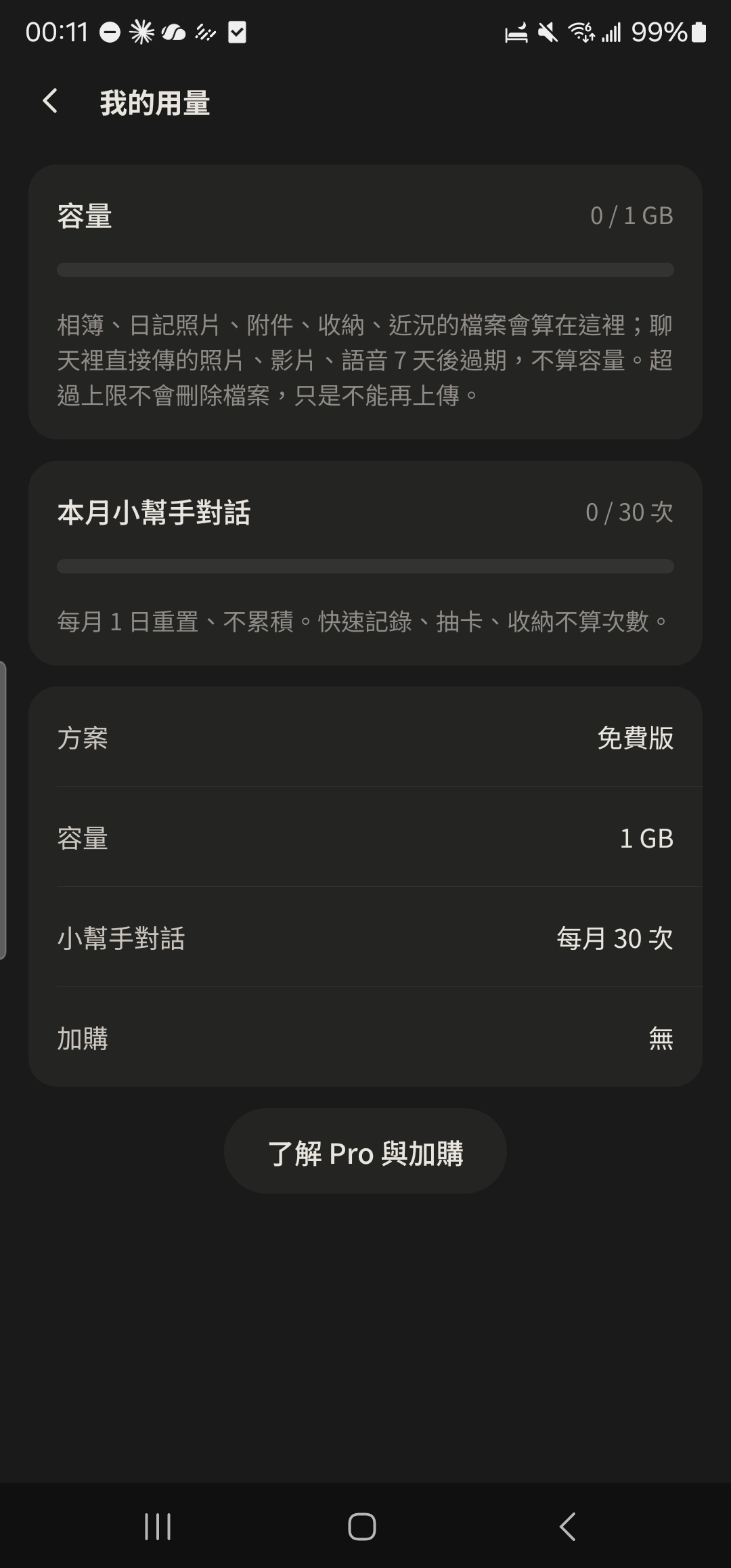
- The free plan includes 30 AI chats a month and Pro includes 600, resetting on the 1st of each month. When you have 5 or fewer left, you'll see a reminder above the input box. Please don't send passwords, verification codes, or other people's personal info.