 24h
24hImport Google Calendar
Bring events from Google Calendar or an .ics file into 24h. Only you can see the details.
- 1
Tap the settings at the top right of the "Calendar" tab.
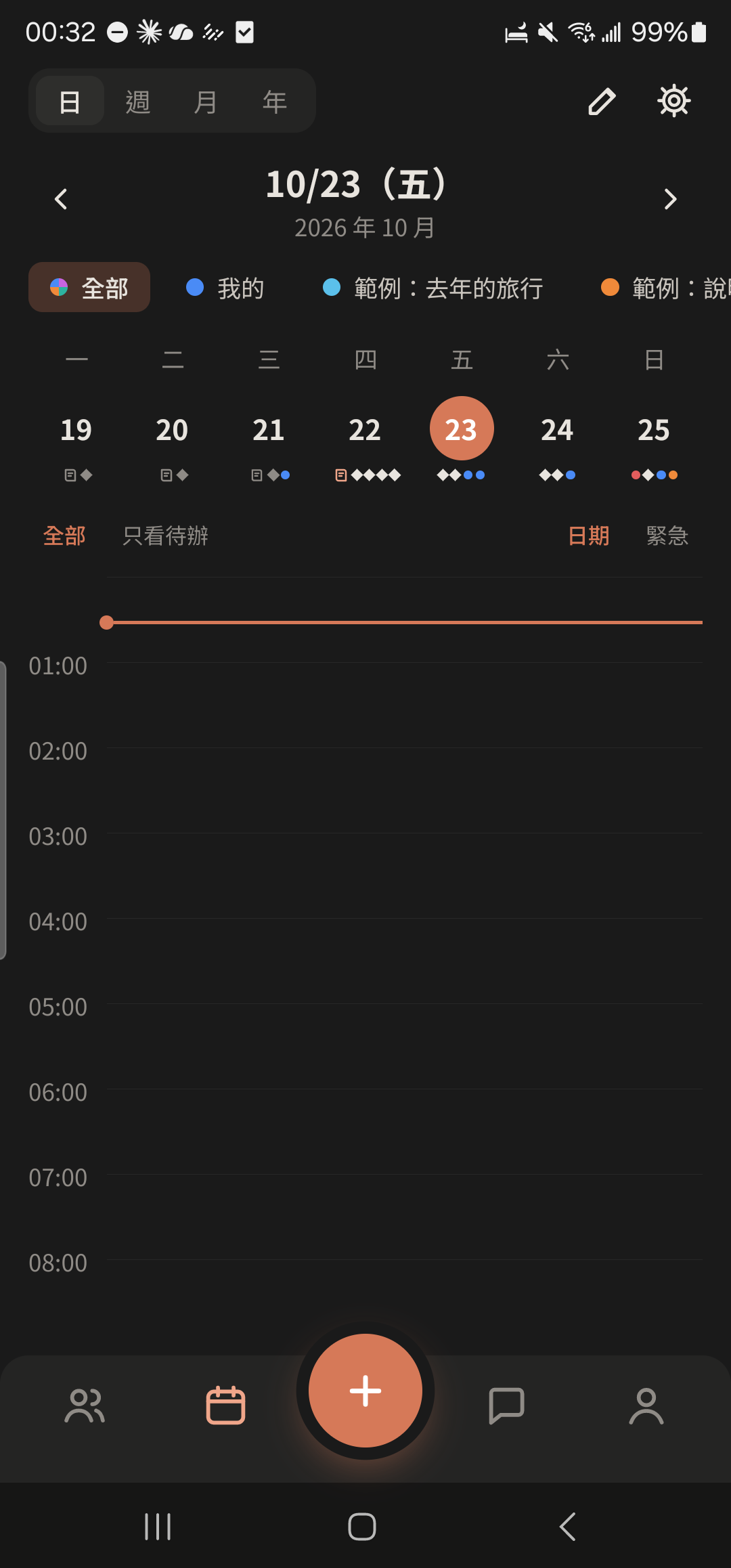
- 2
Tap "Import Calendar".
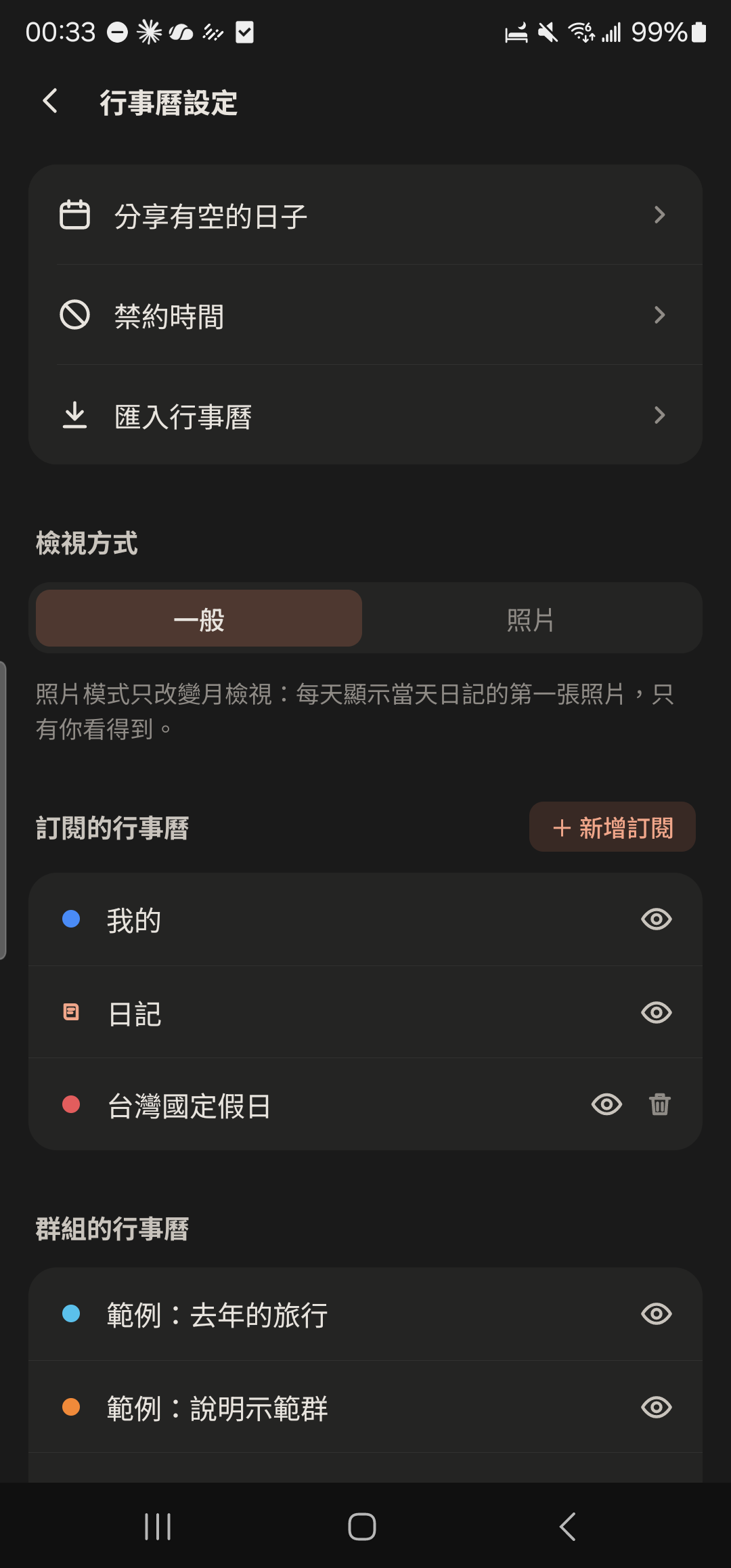
- 3
Choose "Link Google Calendar" and check the calendars you want to sync.
Screenshot comingLink Google Calendar with a list of calendars to check - 4
Choose "Import .ics file" and pick a file from your phone to import it all at once.
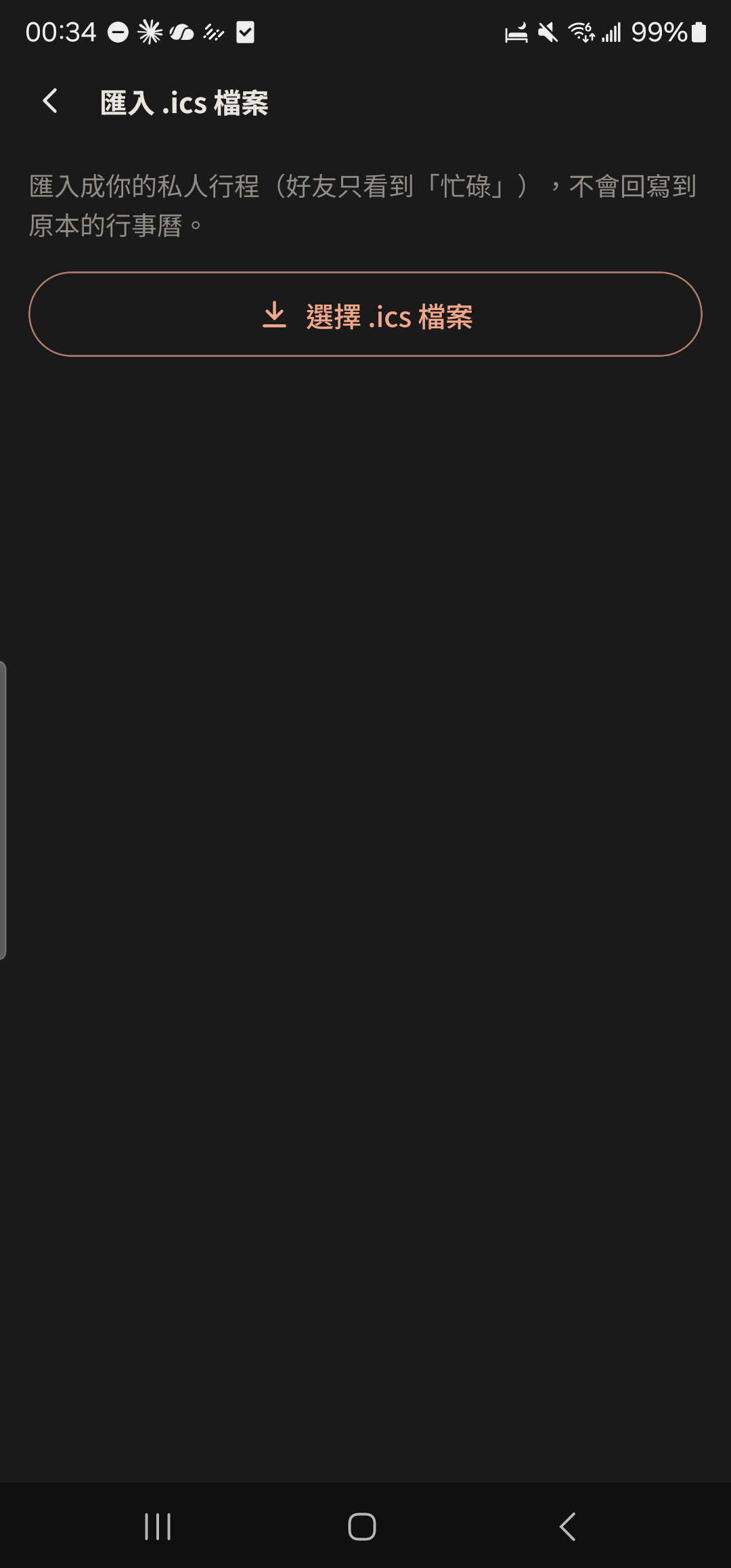
- Only you can see the details of events imported from Google, and nothing is written back to Google. Friends only see that you're "Busy" at that time, so they won't think you're free.
- Tapping "Disconnect" deletes all imported events.